Our work

A look inside our approach to building systems.

These screenshots of our actual Business OS Studio show our internal design methodology: visual workflow design, consultant investigation and comparison of solution alternatives.

Simulated demonstrations using fictional businesses. These are not client case studies or claims of achieved results.

01 / Workflow architecture

Map how work really moves.

A visual workflow connects people, activities, decisions and software. In this fictional service business, the journey runs from a customer enquiry through qualification and approval to onboarding and delivery.
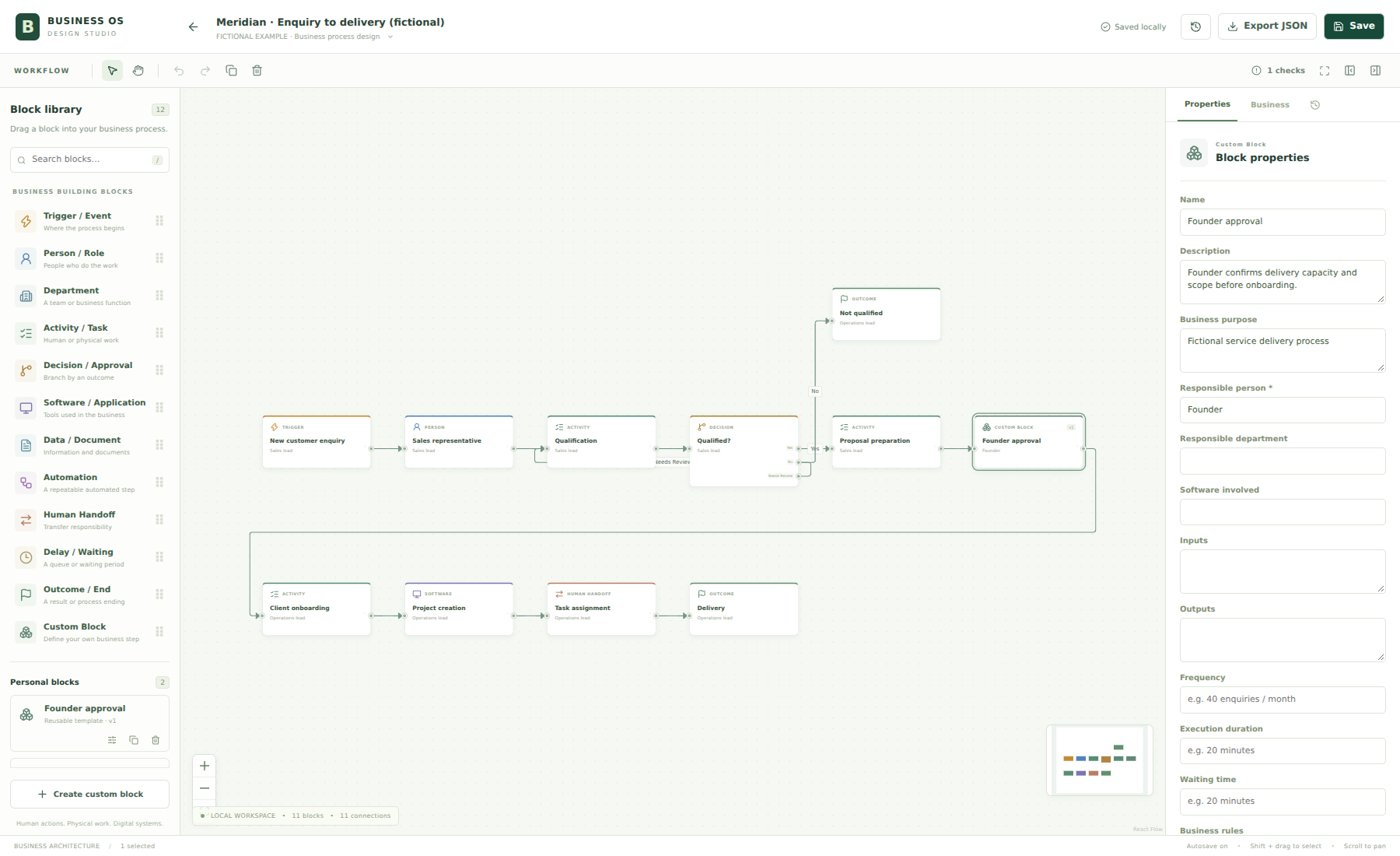
Fictional Meridian customer enquiry-to-delivery workflow with roles, decisions, software and handoffs.
Actual Business OS Studio · Simulated demonstration · Open image to inspect at full size
02 / Consultant investigation

Turn observations into clear findings.

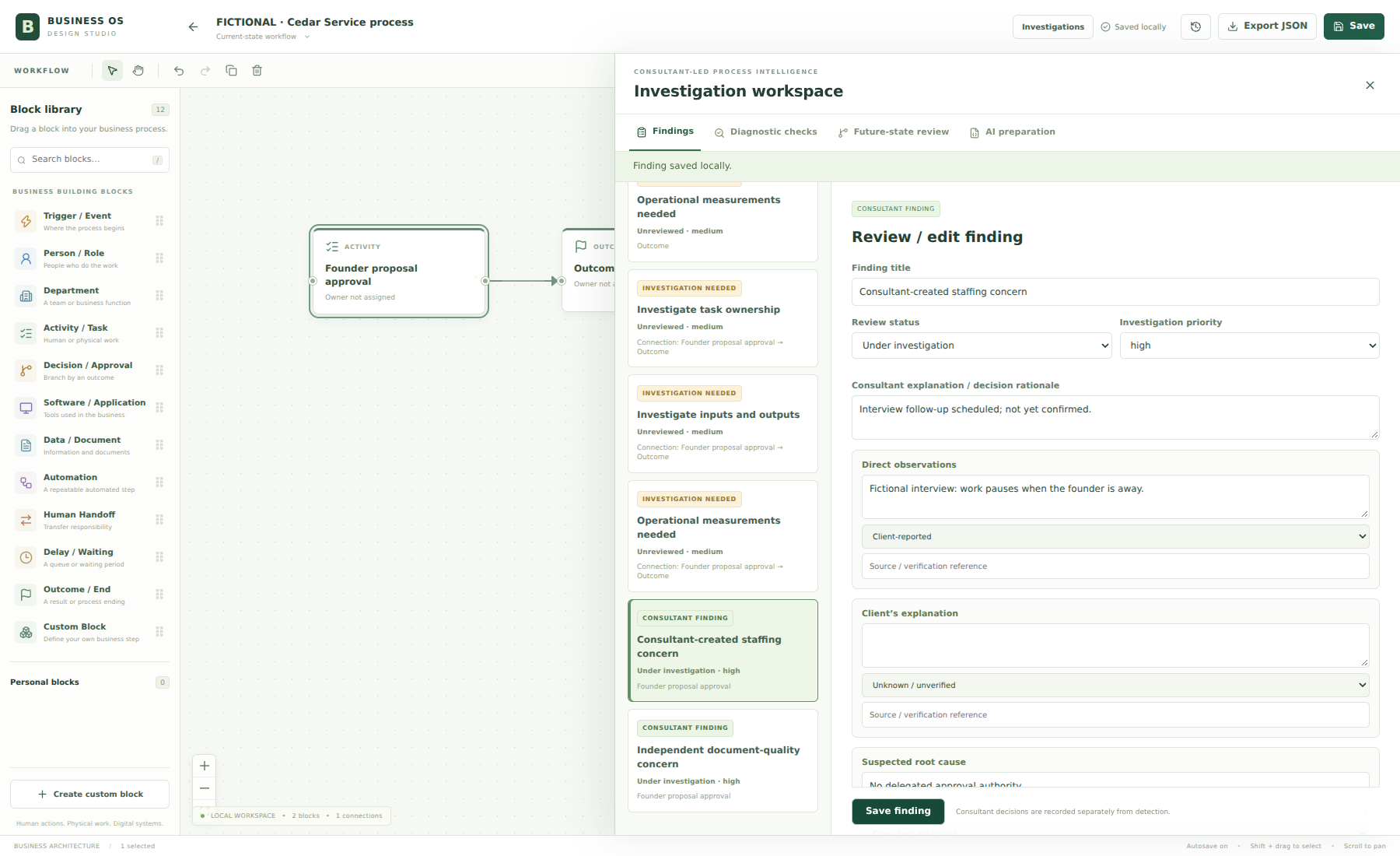
Consultant-led investigation keeps observations, evidence and review status together. An unverified concern stays under investigation until there is enough evidence to support a decision.

Investigation workspace for a fictional Cedar service process, with a staffing concern marked under investigation.
Actual Business OS Studio · Simulated demonstration · Open image to inspect at full size
03 / Solution design

Compare possible improvements.

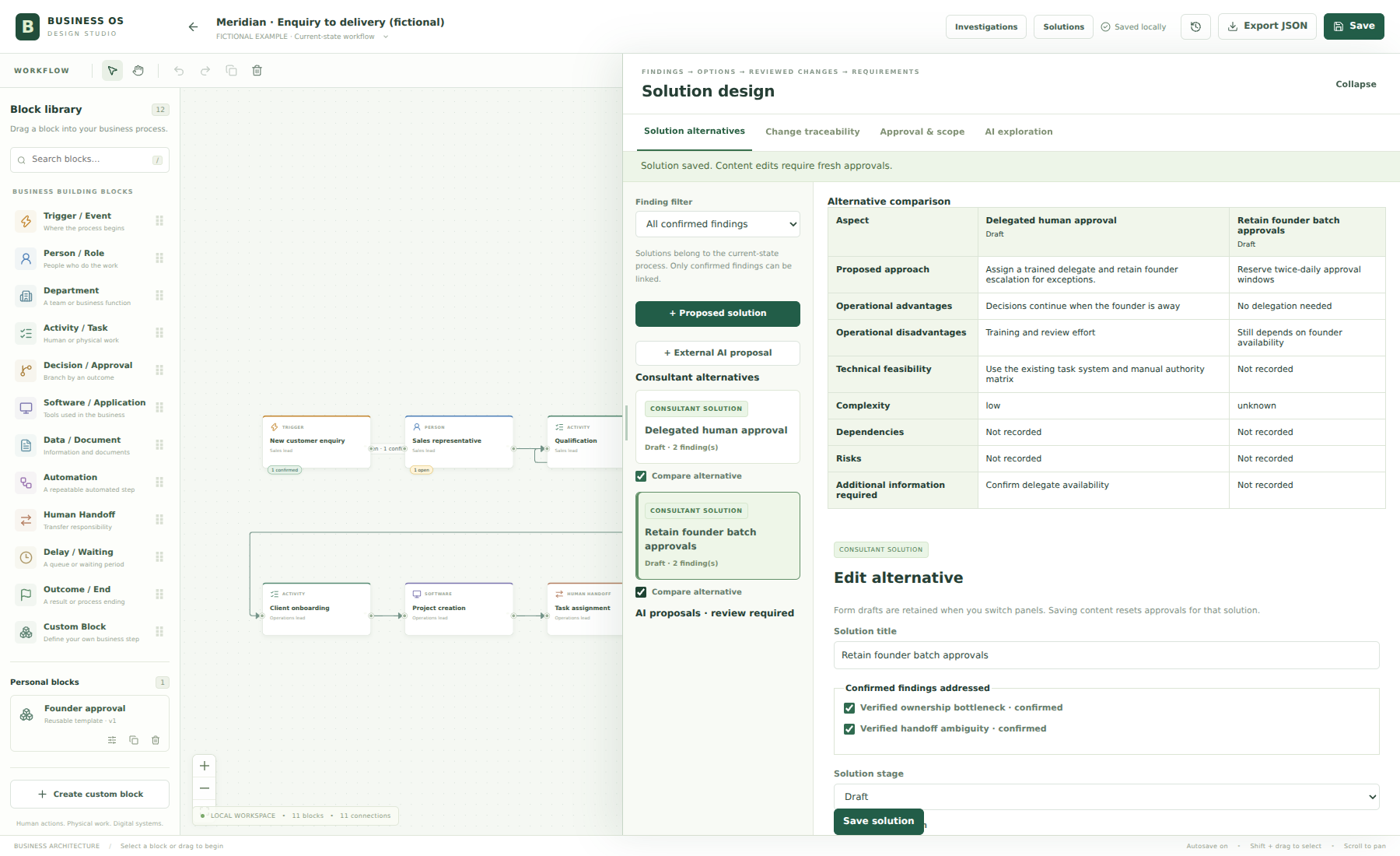
Proposed improvements are reviewed against the process and the findings behind them. This creates a clearer basis for discussing a future-state workflow before implementation.

Business OS Studio solution alternatives for a fictional process, showing proposed changes for consultant review.
Actual Business OS Studio · Simulated demonstration · Open image to inspect at full size

Let’s build your next chapter

Start with your business.
Build the right system.

Tell us where you are, where you want to go, and what’s getting in the way.

Discuss Your Business (opens in a new tab)

Please do not submit passwords, customer databases, financial statements, or other confidential information through this form.